

Event Payloads
By default, the payloads sent in Ordergroove’s outgoing webhooks include the minimal information about the event being delivered. In general, the included information consists of identifiers and pointers to entities — customers, addresses, orders, etc. — that need to be used as parameters in later calls to Ordergroove APIs if more information is needed about them.
If more information is needed readily available in the webhook payloads received (in order to avoid further calls to Ordergroove APIs to get this data, for example), it is possible to enrich these payloads by adding extra context about certain entities involved in the event being delivered (customers, addresses, etc.). This can be easily done through the webhooks interface in the Ordergroove Admin.
Webhooks default payload
By default, when a new webhook route is created and no further configuration is set, outgoing webhook payloads are going to have the following structure:
Even though all webhook payloads will comply with the general structure described above, their content is going to depend on the event type being delivered. The payload a recipient receives depends on the event type being transmitted. These payload types are documented here:
As shown in the payload types above, references to entities such as orders, products, or addresses are limited to public IDs. With the available information in these payloads, you would need to use the Ordergroove REST APIs to get extra details about the involved entities by passing the public IDs as parameters.
Extending webhooks payload
If the default information is not enough to satisfy a specific use case, you can configure the corresponding webhook to extend outgoing payloads with extra context. This can be achieved through the Ordergroove Admin by following these steps:
- Log in to Ordergroove.
- Go to Developers > Webhooks on the top toolbar.
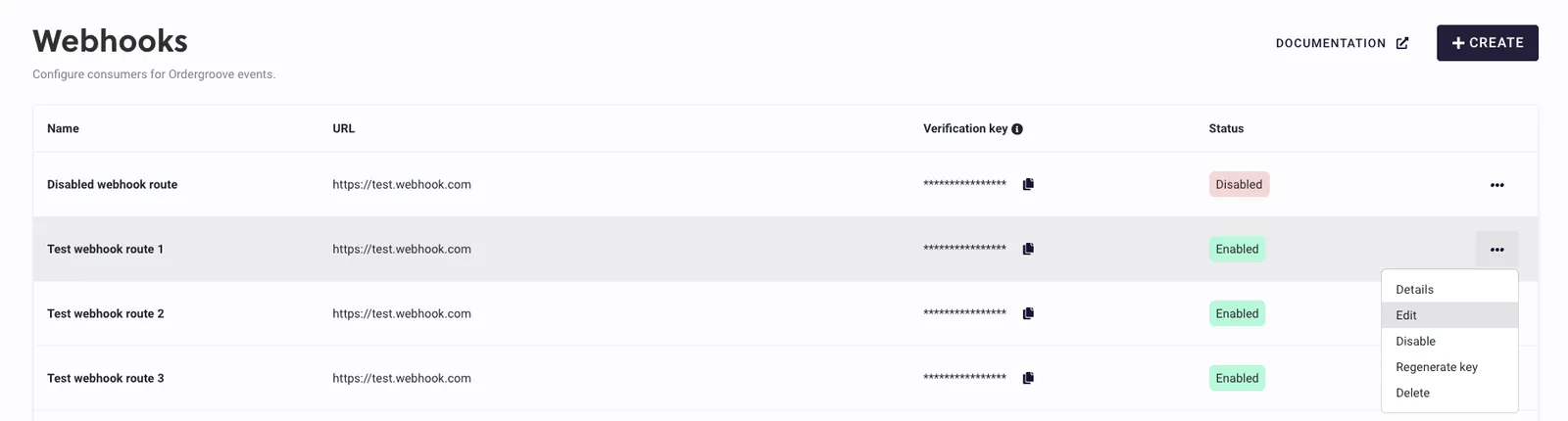
- Click the 3 dots next to the webhook route whose configuration needs to be changed and click Edit.
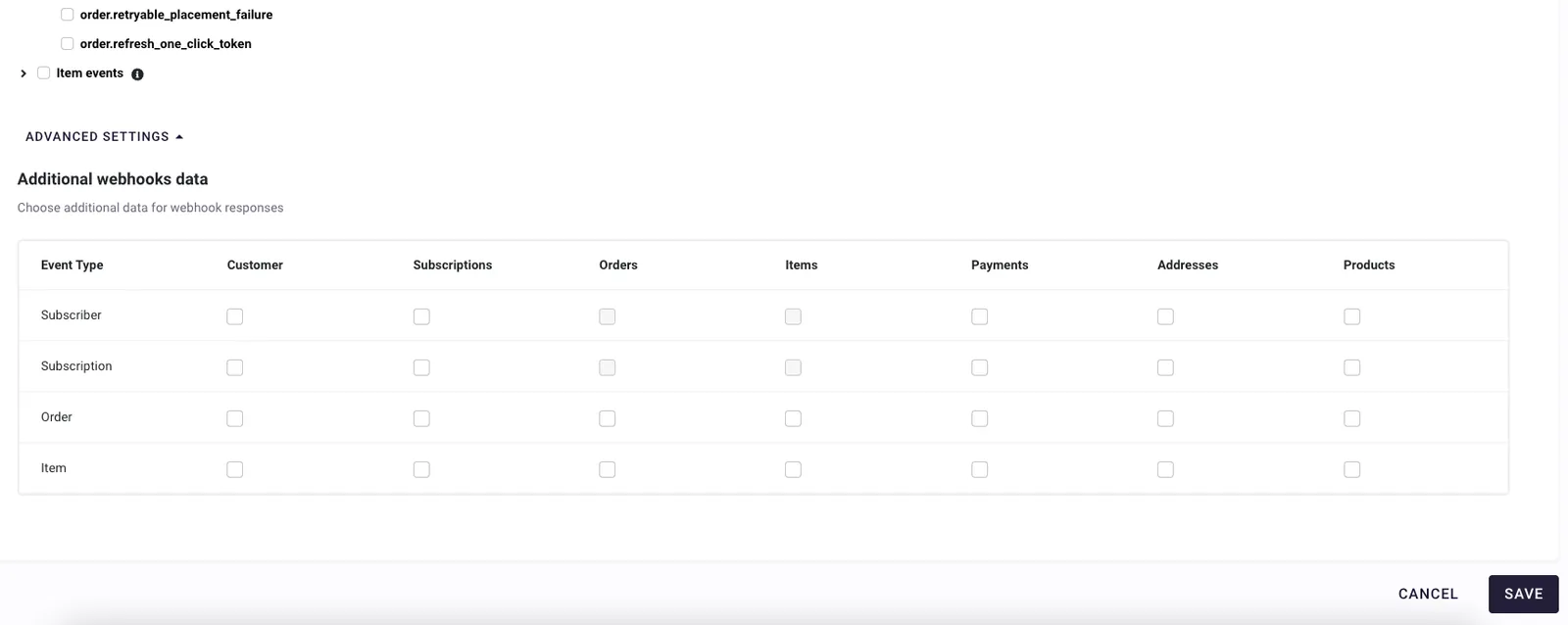
- Go to the bottom of the page and click Advanced settings. A chart will be displayed allowing you to extend webhook payloads.
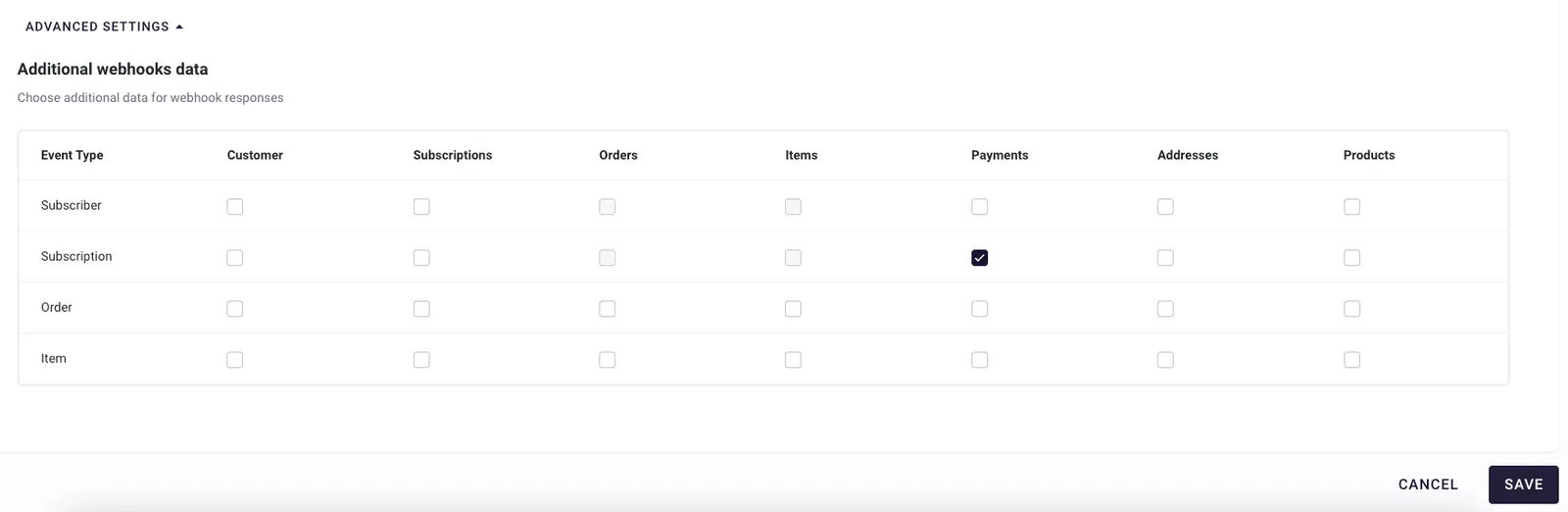
- Select the entities for which more information is needed for a given event type. As an example, if the checkbox in the Subscription row and Payments column is selected, extra information about payments will be sent for events of type
subscription(e.g.,subscription.cancelled,subscription.created, etc.). More information about the effects of this action is described below.
There is an extra network, storage, and computational cost for each piece of additional data added to the payloads — on the Ordergroove side as well as the receiving side. Be mindful of the additional data requested and only add what is necessary.
- Click Save at the bottom of the page to confirm the desired changes. The saved configuration will impact the payloads of new webhooks going forward. Webhooks currently in transit while making these changes (just created or being retried) will still use the old configuration.
Webhooks extended payload format
When the new configuration takes effect, outgoing webhook payload structures change to the following:
Depending on the event type being delivered and the current configuration, the snapshot field will include some, all, or none of the fields described above. The entities added to the snapshot field are limited to the ones involved in the event being delivered.
Information sent
Given an event type, if an entity is configured to be added to the payload, the following information is sent:
Customer
Information displayed in the customer field is the same as the response body of the REST API customer retrieve endpoint.
Orders
Each element in the array will display extended information about the orders involved in the event. The returned fields for each element are the same as the REST API order retrieve endpoint response body.
Items
Each element in the array will display extended information about the order items involved in the event. The returned fields for each element are the same as the REST API item retrieve endpoint response body.
Addresses
Each element in the array will display extended information about the billing and shipping addresses involved in the event. The returned fields for each element are the same as the REST API address retrieve endpoint response body.
Payments
Each element in the array will display extended information about the payments involved in the event. The returned fields for each element are the same as the REST API payment retrieve endpoint response body.
Subscriptions
Each element in the array will display extended information about the subscriptions involved in the event. The returned fields for each element are the same as the REST API subscription retrieve endpoint response body.
Products
Each element in the array will display extended information about the products involved in the event. The returned fields for each element are the same as the REST API product retrieve endpoint response body. For digital products in the array (if any), the field product_resource_grants is also included, displaying the same information returned by the product retrieve endpoint when the include_product_resource_grants=true query parameter is passed.
Snapshot example
Below is an example of how the snapshot field looks with all entities populated (as of February 2024):