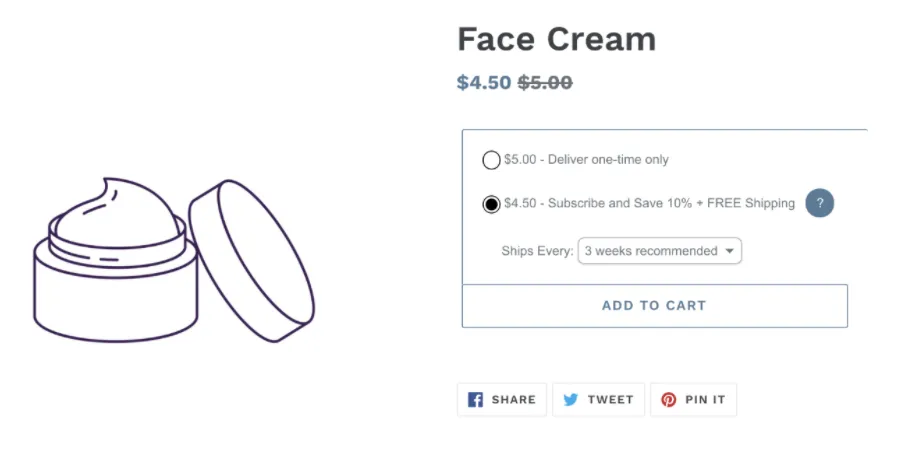
Showing Discounted Price
Online stores often see a lift in purchases and subscription sign-ups when shoppers can see the discounted price upfront. Ordergroove already shows the discounted price within the enrollment offer, but some merchants want to surface it elsewhere in their Shopify theme too. This article walks through one approach for displaying the discounted subscription price outside of Ordergroove’s content.
Showing a discounted price is automatically included within the enrollment offer for merchants on Shopify, but merchants on custom builds and other platforms need to build it out with their own development team. The following article details how you can surface the discounted subscription price outside of Ordergroove’s content on Shopify.
When using the Debut theme in Shopify, you can add the following code snippet to your product-price.liquid file. Otherwise, find the specific file used to display pricing on the product detail page and add this code there instead.
The code below is an example tested against the standard Shopify Debut theme. You may need to modify it to work within your Shopify store.
Ordergroove suggests testing this code in a duplicated test environment before applying it to your live Shopify theme.
If the above code is implemented correctly, your customers should see the discounted price alongside the original price, as shown below: