

Implementing Country & State Dropdown in Subscription Manager Themes
Add a country/state dropdown to the shipping address form to reduce typos and improve the customer experience
Rather than asking a customer to manually type the state or province of their shipping address — risking typos or formatting issues — you can provide a list of states and provinces based on the selected country. If your Subscription Manager doesn’t have this feature, you can add it through the advanced editor.
Technical Details
The list of states/provinces is fetched in script.js by calling:
https://static.ordergroove.com/@ordergroove/i18n-data/latest/i18n_country_data.json
Country names are pulled from locale files first (e.g. en-US.json). If no translation is provided, the default from i18n_country_data.json is used (English).
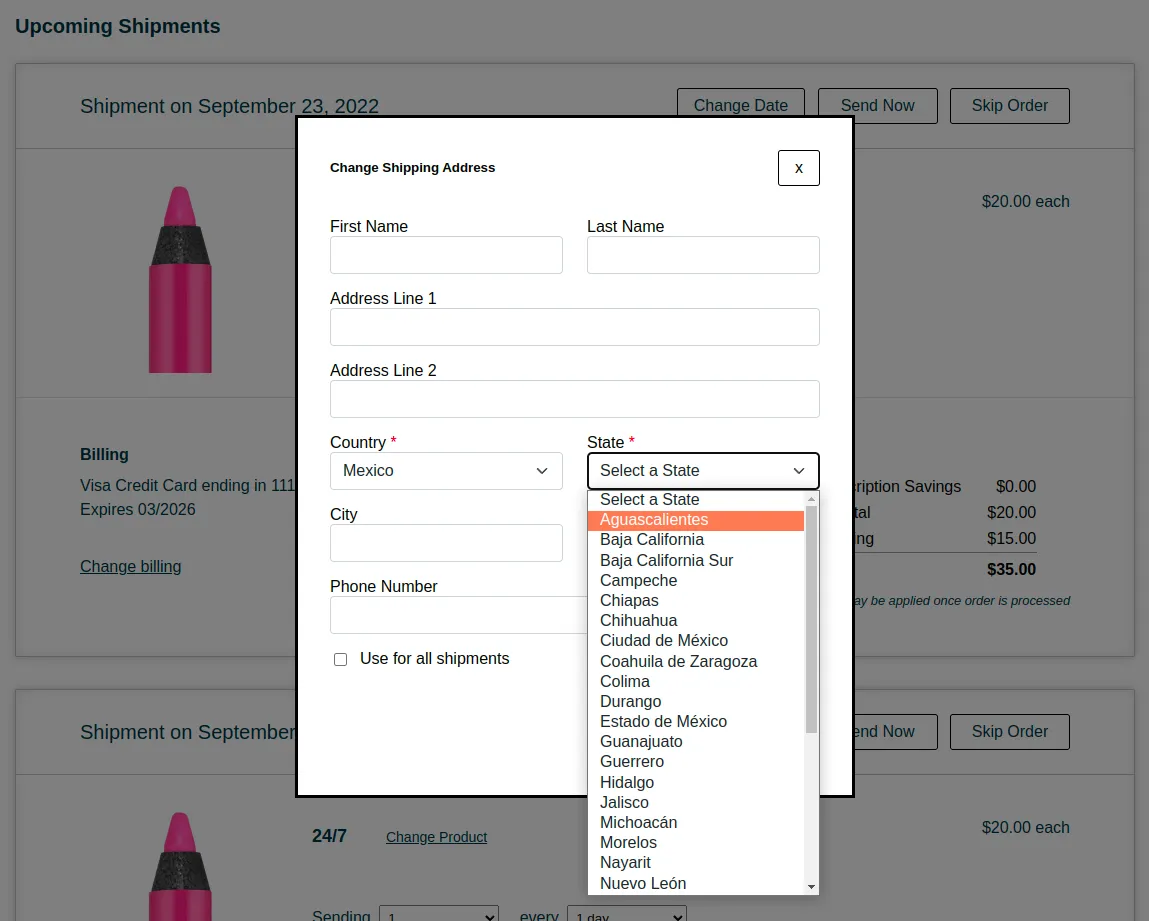
Accessing the Advanced Editor
You can access the advanced editor through your Ordergroove Admin:
- Log in to Ordergroove.
- Go to Subscriptions on the top toolbar, and select Subscription Manager.
- Toggle Advanced on the top left.
Some aspects of this article require technical expertise with coding languages. This is self-serve and outside of the normal support policy.
Including Changes without Overwriting Customizations
To include this functionality without losing existing customizations, edit script.js as follows.
1. Add the Following Functions
Add the following code to script.js (referenced from GitHub):
2. Rename Variable
In change-shipment-address.liquid, on line 5, rename the variable for clarity:
3. Replace Lines 54 to 86
In change-shipment-address.liquid, replace lines 54–86 with the following:
And you’re all set — no changes are needed to smi-core.