

Tracking Affiliate Codes on Recurring Orders
Reference initial order data on recurring subscription orders to track affiliate codes and similar attribution
Brands and retailers can track affiliate codes (and other similar data) on recurring orders by referencing the initial order that created the subscription.
1. Subscribe to Ordergroove Webhooks
- Navigate to the Webhooks section of Ordergroove.
- Enable the toggle by clicking it to ON.
- In the URL field, enter the endpoint where you want all events to be sent.
- Click Save.
- Once saved, a verification key will populate in the Verification Key field.
- Click Copy to copy the key to your clipboard.
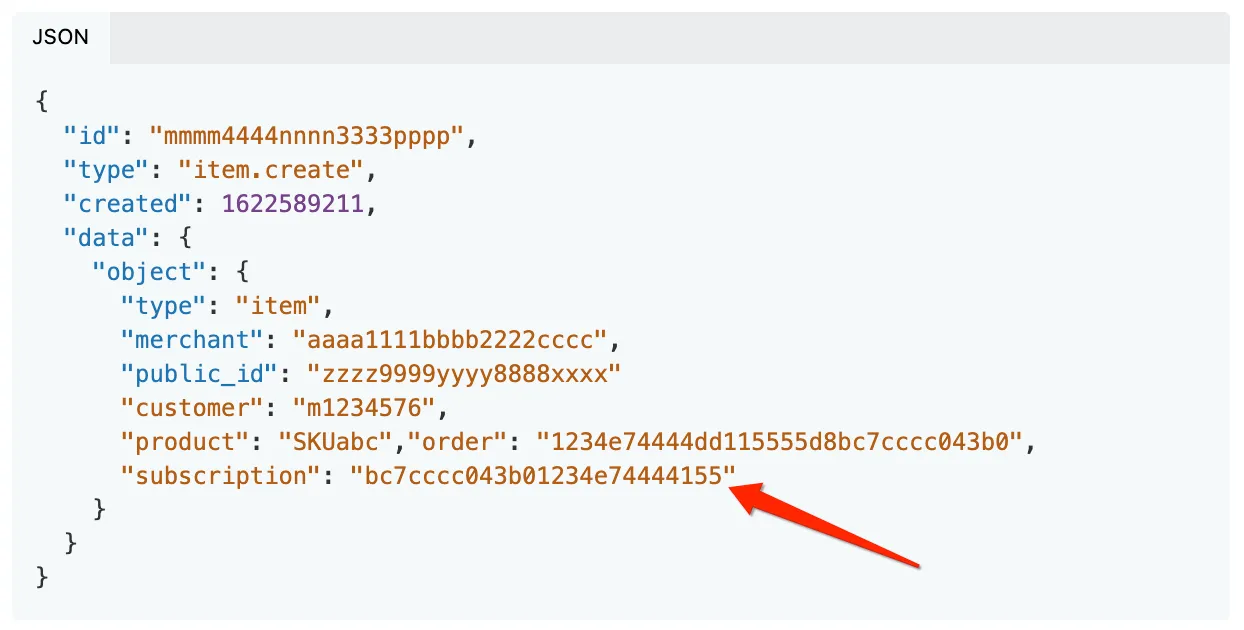
2. Listen for the item.successfully_placed Event
- This event fires for each item successfully placed with a recurring order.
- Retrieve the subscription ID from the JSON payload that created the item.
3. Call the Subscriptions Retrieve REST API
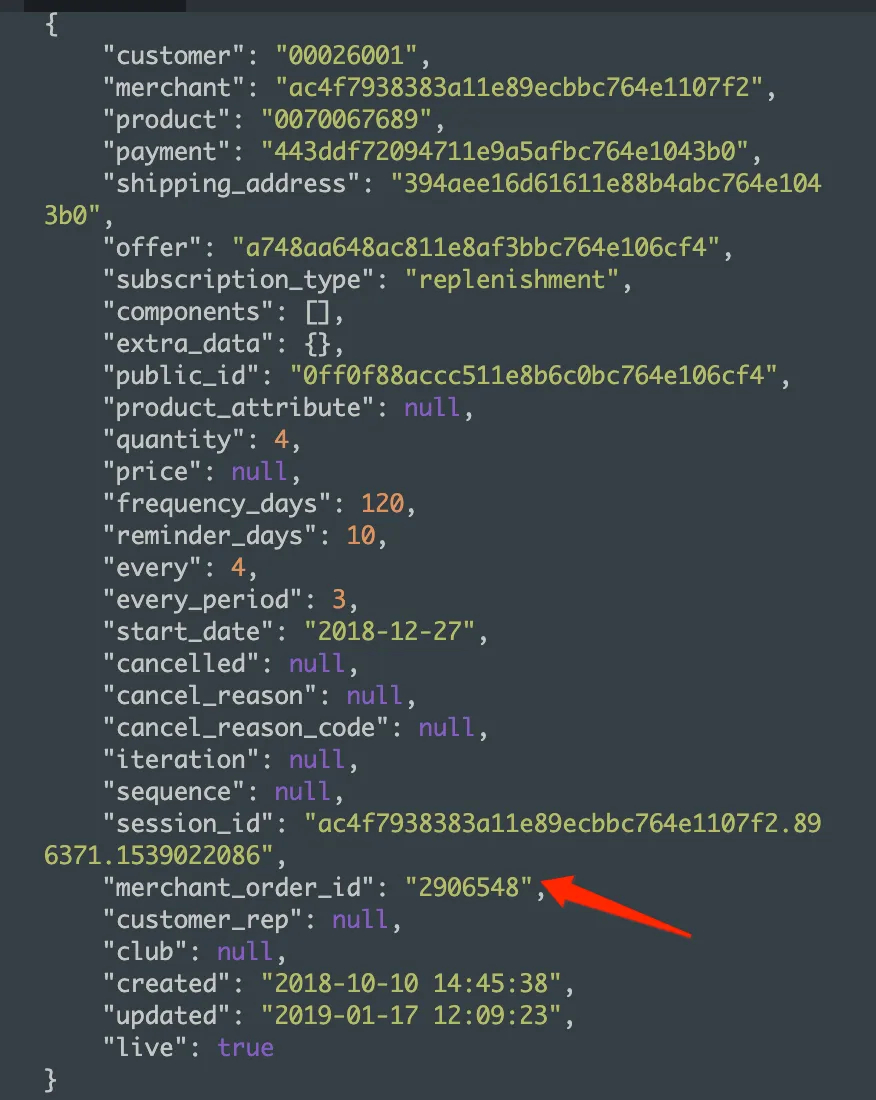
- Use the subscription ID from the previous step as the URL parameter in the request.
- Retrieve the
merchant_order_idthat created the subscription.
4. Retrieve Relevant Affiliate Data
Use the order ID from the previous step to retrieve the relevant affiliate data from your eCommerce platform.