

Installing Webhooks
Configure webhooks from within the Ordergroove Admin to receive real-time event notifications
You can create and modify webhooks from within the Ordergroove Admin. With Webhooks 2.0, standard for all merchants, you can configure which data points are valuable to receive in a single webhook notification!
Setup
Accessing the webhooks configurator
We’ll be using the webhooks configuration interface. You can access it through your Ordergroove Admin:
- Log in to Ordergroove.
- Go to Developers on the top toolbar, and select Webhooks.
- Click + CREATE WEBHOOK to begin.
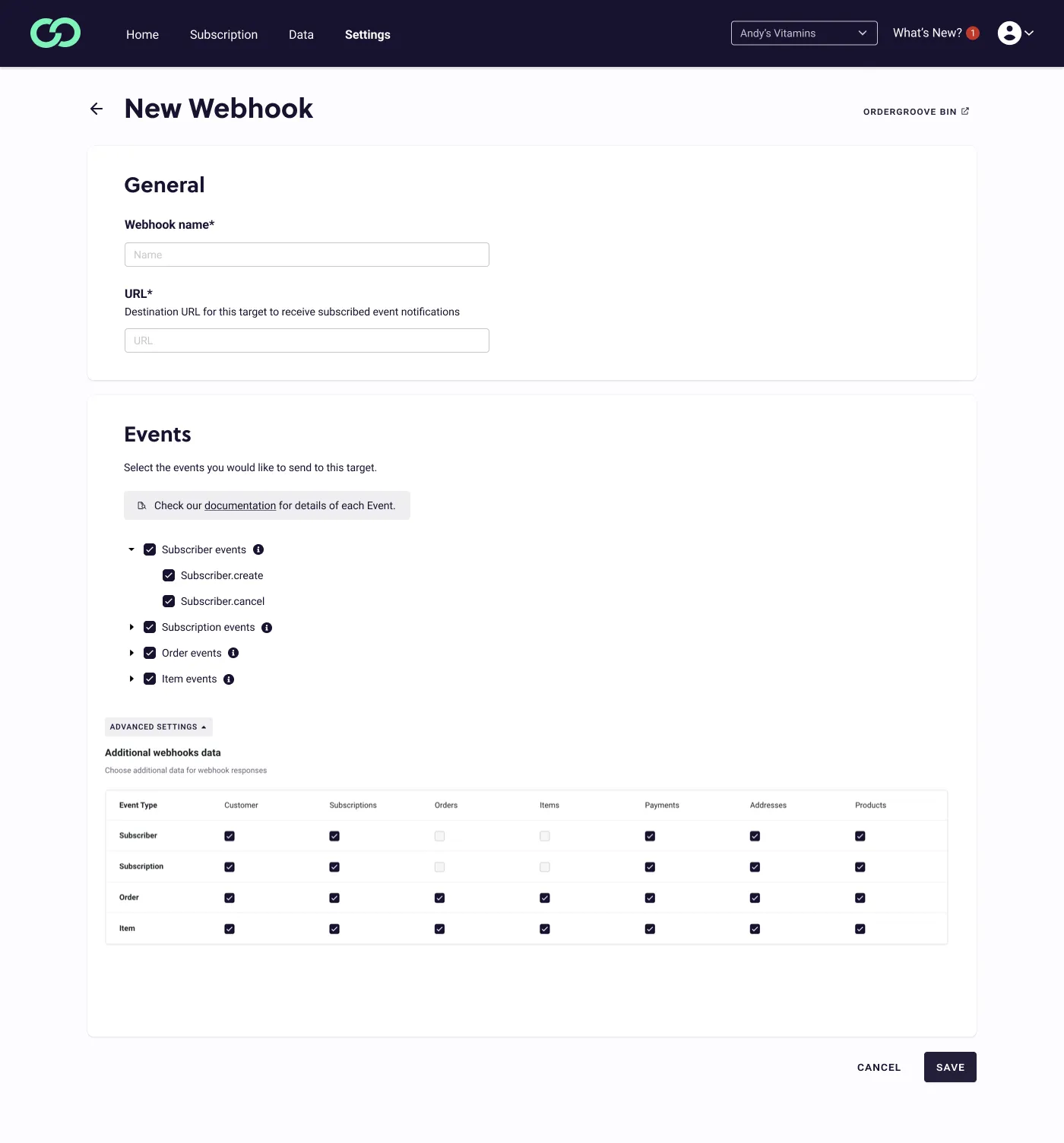
- Select which events you want to receive webhook notifications for and any additional webhook data you want included in the payload. For example, an order event will only contain order-level information. If you select to add subscription and item-level data, that will also be sent in the payload of the webhook.
Order and item-level data cannot be added to subscriber or subscription events at this time. Adding subscription-level data to order and item-level events is supported in the Alpha of Webhooks 2.0.
Payload Structure
The additional webhook data selected during configuration will be sent in the snapshot object within the payload. See example:
The Snapshot Object
This object will include the additional selected data during configuration of the webhook. The customer object within snapshot will be a single customer since all webhooks can only be tied to one customer. The subscriptions, orders, items, addresses, payments, and products objects will always be a list even if there is only one object within the list. Example: